


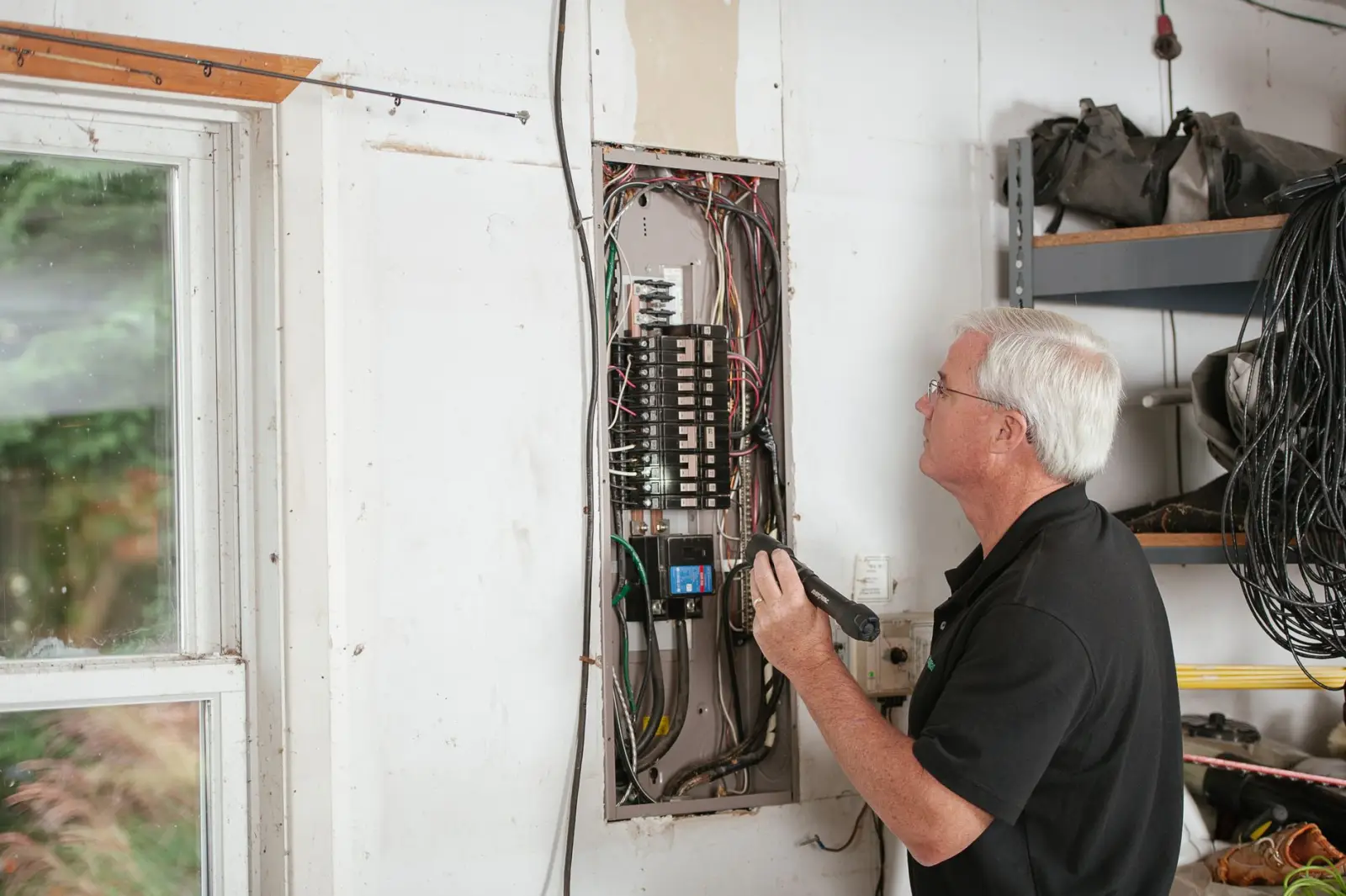
Electrician Website Design for Service Calls, Panels and EV Chargers
Electrician website design for residential shops: separate paths for the homeowner with a dead circuit, the one adding an EV charger or a generator, and the one who just bought a house with a fuse box. Each path has its own pages and its own short form, a shop-approved emergency notice sits on every troubleshooting page, and calls are tracked by job group.
Electrician Website Design Starts With What Changed in the House
Electrician website design starts with a simple observation: homeowners rarely call an electrician about electricity. They call because something changed. A bedroom circuit went dead, the lights dim every time the dryer starts, an outlet in the kitchen feels warm, or they just bought an electric car and the salesperson said they will want a charger at home.
Those situations sort into three groups, and the site is built around them. Something stopped working: troubleshooting and service calls. Something is being added: EV charger circuits, generators and transfer switches, new circuits for appliances, and the panel upgrade that often comes with them. Something is old: rewiring, fuse boxes, two-prong outlets and lighting in houses that were wired for a different century. The homepage gives each group its own door, and every service page sits behind one of them.
A Safety Notice That Sends People to a Person, Not a Fix
Some visitors arrive frightened. They smell something burning near the panel, an outlet sparked when they plugged in a vacuum, or a switch plate is warm and discolored. A site that answers them with a list of things to try is a liability. Every troubleshooting page opens with the emergency instruction the shop approves, written in the shop's words, which tells the visitor to call 911 when there is fire, smoke or an injury. Directly beneath it sits a call button that reaches a person at the shop.
The pages give no do-it-yourself steps for these situations, and nothing on the site tells a homeowner to open the panel or work on it. Calmer pages, such as half the house losing power or one dead outlet, describe what the symptom can mean and what the electrician checks on arrival. What happens after hours is stated plainly, so nobody taps the button expecting a truck that is not coming.
An Electrician Website That Explains What the Panel Has to Carry
Most planned electrical work comes back to one question the homeowner cannot answer: is the existing panel and service enough for what they want to add? The project pages are written around that question. The EV charger page explains that the electrician first looks at the panel, the service coming into the house and the distance to where the car parks, and that the answer decides whether the job is a new circuit or a panel upgrade first. The generator page explains the difference between backing up a few essential circuits and the whole house, why a transfer switch or an approved interlock keeps generator power off the utility line, and what the fuel choice means for placement.
Where paperwork comes up, the page mentions that the city and the utility each set their own requirements, and leaves the details to the visit. Panel upgrades, heat pump and appliance circuits, hot tubs and detached garages or workshops each get their own page from the same template. None of them publishes a fixed price, because the existing panel and service decide the scope; instead each page lists what the on-site assessment covers and how to book it.
Web Design for Electricians Working in Old and New Houses
Town pages are built from what the shop has seen on its own jobs. An older neighborhood might be full of houses with fuse boxes, knob-and-tube runs in the attic, ungrounded two-prong outlets and kitchens with too few circuits for modern appliances; that page talks about rewiring and what it involves for plaster walls. A newer subdivision is more likely to want EV charger circuits, generator hookups and recessed lighting; its page leads with those. Rural edges of the service area, where outages last longer and some homes run on well pumps, lead with generators.
When the shop has nothing specific to say about a town, it does not get a page of its own; it is covered on a regional page. Every town page names the services offered there and links to the matching project pages, and the list of towns covered is written out in plain text so a homeowner can confirm coverage without decoding a map.
Request Forms That Ask What an Estimator Would Ask
Each project page has its own short form, and each form asks the questions an electrician would ask on the phone. The EV charger form asks where the panel is, where the car parks, whether the charger has already been bought and which model. The generator form asks whether the homeowner wants essential circuits or the whole house and which fuel the house already has. The rewiring form asks roughly when the house was built, whether it has fuses or breakers and whether there are two-prong outlets. Every planned-project form accepts a photo from the phone camera, so the homeowner can send a picture of the panel with its door open and the label visible, without removing any cover.
The troubleshooting lane keeps its form to a name, a phone number, the address and a line describing the problem, because that visitor wants a call back, not a questionnaire. Fields stack in one column and the phone field opens the number pad.
Electrician Web Design for a House With Half the Power Out
An electrician's site is often opened in a house with a problem in its wiring. The router may sit on the dead circuit, so the visitor is on cellular data, standing in a dark basement or garage, holding a flashlight in one hand and a phone running low on battery in the other. Electrician web design has to assume that phone. The number is a real dialable link in the page's first HTML, the call button sits where a thumb reaches it, and the space it occupies is reserved so late-loading elements never push it out of place.
Troubleshooting pages carry no autoplay video, no chat window that opens over the button and no full-width photo slider. Project galleries and review widgets load only when the visitor scrolls to them.
Proof From the Panel, and Trust Signals an Electrical Contractor Website Can Back Up
Finished electrical work is mostly hidden behind covers and drywall, so the gallery shows what the homeowner never sees: a cramped, mislabeled panel next to its replacement with a typed circuit directory, a neat conduit run from the panel to an EV charger in the garage, a generator inlet and transfer switch beside the meter, an attic before and after old wiring came out. Every picture is from a job the shop did itself, labeled with the kind of work and the part of town instead of a house number, and posted only after the homeowner says yes.
An electrical contractor website is checked harder than most, because the visitor is deciding who gets to work on the system that can start a fire. The license number is shown exactly as it appears on the state lookup, with a link where one exists. Insurance status and real photos of the electricians and vans sit next to the forms. Manufacturer badges for chargers or generators appear only while the shop's status is current, and review excerpts are quoted only from reviews that exist, with the source named.
Tracking Calls by Job Group
Tracking setup is built in from the start. Calls, texts and form requests are tagged by job group, so the owner sees troubleshooting calls, project requests such as EV chargers, generators and panel upgrades, and rewiring inquiries as separate counts. If tracking numbers are used, the shop's real line is hard-coded as the fallback and the tracking script loads after the page is usable, so a number swap never breaks a tap.
When an older site is rebuilt, the pages that already bring in calls are identified first, every old URL is mapped or redirected, and every number is test-dialed on a real phone before launch. This service builds the structure, forms, speed and tracking; the explainers that fill the project pages are written by the writers on your account.
Frequently Asked Questions
Should an electrician's website publish a price for a panel upgrade?
Not a fixed one. The scope depends on the existing panel, the service coming into the house and what the homeowner wants to add, so a price shown before anyone has looked is likely to change. The page should explain what the on-site assessment covers and make it easy to book.
What should an EV charger request form on an electrician's website ask?
Where the panel is, where the car parks, whether the charger has been bought and which model, and a photo of the panel with its door open and the label visible. That tells the electrician before the visit whether the job is likely a new circuit or a panel upgrade first.
What should an electrician's website tell someone who smells burning from an outlet?
The top of the page should carry the shop's own approved emergency wording, which directs anyone facing fire, smoke or an injury to dial 911, and right under it a button that rings a real person at the shop. It should not offer troubleshooting steps for that situation.
How We Build an Electrician's Site

Sort the Work Into Three Paths
We go through the jobs the shop takes: troubleshooting and service calls, projects that add load such as EV chargers, generators and panel upgrades, and rewiring older homes. Each becomes a path from the homepage, and the shop approves the emergency notice wording.

Build Project Pages and Forms
Each project gets a page explaining what the electrician checks first, what the visit covers and how to book it, plus a short form with the questions an estimator would ask and room for a photo of the panel label.

Test on a Phone, Then Track
Before launch we load every troubleshooting page on cellular data, test-dial every number, map old URLs and tag calls and forms by job group, so the owner sees service calls, project requests and rewiring inquiries as separate counts.
What Goes Into the Build
Three job paths
Troubleshooting, new load and older-home pages, each with its own door
Panel photo field
A spot for a phone shot of the breaker directory on every project form
Safety notice
The shop-approved emergency instruction tops every troubleshooting page
Rebuilding the Site Around Panels, Chargers and Service Calls?
Tell us which jobs you want more of, and we will show you how the paths, project pages and forms would be laid out for your shop.

Let's talk about your growth
Tell us about your business and we'll show you exactly where AI can win you more customers.