


Roofing Marketing Automation From Inspection to Final Invoice
Roofing marketing automation for the stretches when the homeowner is waiting and your team is on a roof. We split repairs, replacements and storm jobs into their own CRM lanes, follow up every estimate with the photos from that homeowner's inspection, and send job updates the moment the crew lead marks tear-off, dry-in or cleanup done.
Roofing Marketing Automation for the Gaps Between the Ladder and the Office
Roofing marketing automation earns its keep in the quiet stretches of a roofing job. The homeowner has had the inspection but not the estimate. The estimate is on the kitchen table next to two others. The contract is signed but the shingles have not been ordered. The crew has torn off the old roof and found soft decking. In each of those gaps the homeowner is waiting on somebody, and that somebody is usually up a ladder or out measuring another roof.
We set up the messages and the CRM stages that fill those gaps: confirmations before the inspection, follow-up after the estimate, updates once the job is on the board, the final invoice, and the reminders that bring the homeowner back years later. Each one fires off something the office or the crew already does, such as booking a slot, sending a proposal or marking the tear-off complete, so nobody has to remember to send it.
A Roofing CRM With Separate Lanes for Repairs, Replacements and Storm Jobs
A leak repair, a full replacement and a storm job move at different speeds, and one set of pipeline stages fits none of them well. The repair homeowner wants a date this week and decides on the spot. The replacement homeowner is spending real money, often collecting more than one bid, talking it over with a spouse and looking at financing. The storm homeowner may be waiting on an adjuster before deciding anything.
So the roofing CRM gets three lanes. Repairs run short: inquiry, inspection booked, repair quoted, scheduled, done, invoiced. Replacements carry a long middle between estimate sent and decision, which is where most of the follow-up lives. Storm jobs get holding stages for the time between the inspection and the homeowner's go-ahead, so the job stays visible instead of sinking to the bottom of a list. We keep those messages to status and scheduling and leave anything about the claim itself to the homeowner and their carrier.
Leads are routed by service area and job type when they come in, so a commercial flat-roof inquiry or a tile repair lands with the estimator who handles that work. Whether you run a roofing-specific CRM or a general-purpose one, we build the stages inside the system you already have rather than bolting on a second one.
Roof Estimate Follow-Up That Explains What the Other Bids Left Out
A roofing estimate takes a drive, a climb, measurements and a proposal, and then it often sits next to a cheaper bid that quietly leaves things out. The homeowner is not ignoring you; they are trying to work out why two roofs that look the same cost different amounts.
Our roof estimate follow-up answers that question one line item at a time. The first message goes out the day after the estimate with the photos from their own inspection: the cracked pipe boots, the lifted shingles, the stained decking seen from the attic. Later messages each take one part of the scope and explain it plainly: why the old layers come off instead of going over, what synthetic underlayment does, why drip edge, flashing and ventilation are listed, what the manufacturer warranty covers and who registers it. The homeowner ends up holding a checklist they can lay against every other bid.
The sequence stops the moment the homeowner replies, books a call or signs, and the estimator gets a task instead of a notification. Every open proposal shows its days since sending, and a lost estimate has to be marked with a reason, so the owner can see whether jobs are going to price, to timing or to silence.
Roofing Follow-Up Automation Before the Inspection
An inspection that does not happen costs a roofer a wasted drive. Our roofing follow-up automation starts before anyone is on the roof. When a slot is booked, the homeowner gets a confirmation with the inspector's name and photo and a short note on what the visit involves: a walk of the roof or a drone pass, a look in the attic, and photos they will receive afterward. The day before, a reminder asks the practical questions that save time on site: is the attic hatch reachable, is there a gate code, is there a dog in the yard.
On the morning, an on-the-way text goes out when the inspector leaves the previous address. If wind or rain closes the roof, the office changes one field and a rescheduling message with new times goes out to everyone on that day's schedule, instead of somebody working through a call list at seven in the morning. A homeowner who filled out a form but never picked a time gets a short run of booking texts, then stops hearing from you until they reply.
Roofing Job Updates From Signed Contract to the Final Magnet Sweep
The weeks between signing and tear-off are when roofing customers get nervous and start calling the office. Our roofing job updates cover that wait with real milestones: the material order placed, the color confirmed against the sample they picked, the delivery date and whether the bundles will be roof-loaded or left on the driveway, and where the dumpster will sit.
The day before the crew arrives, a preparation note goes out: move vehicles out of the drive, take pictures off the walls on the top floor, cover anything stored in the attic because dust and nails come through, keep pets inside, expect noise from early in the day. Weather delays get their own message the moment the job is pushed, with the new date.
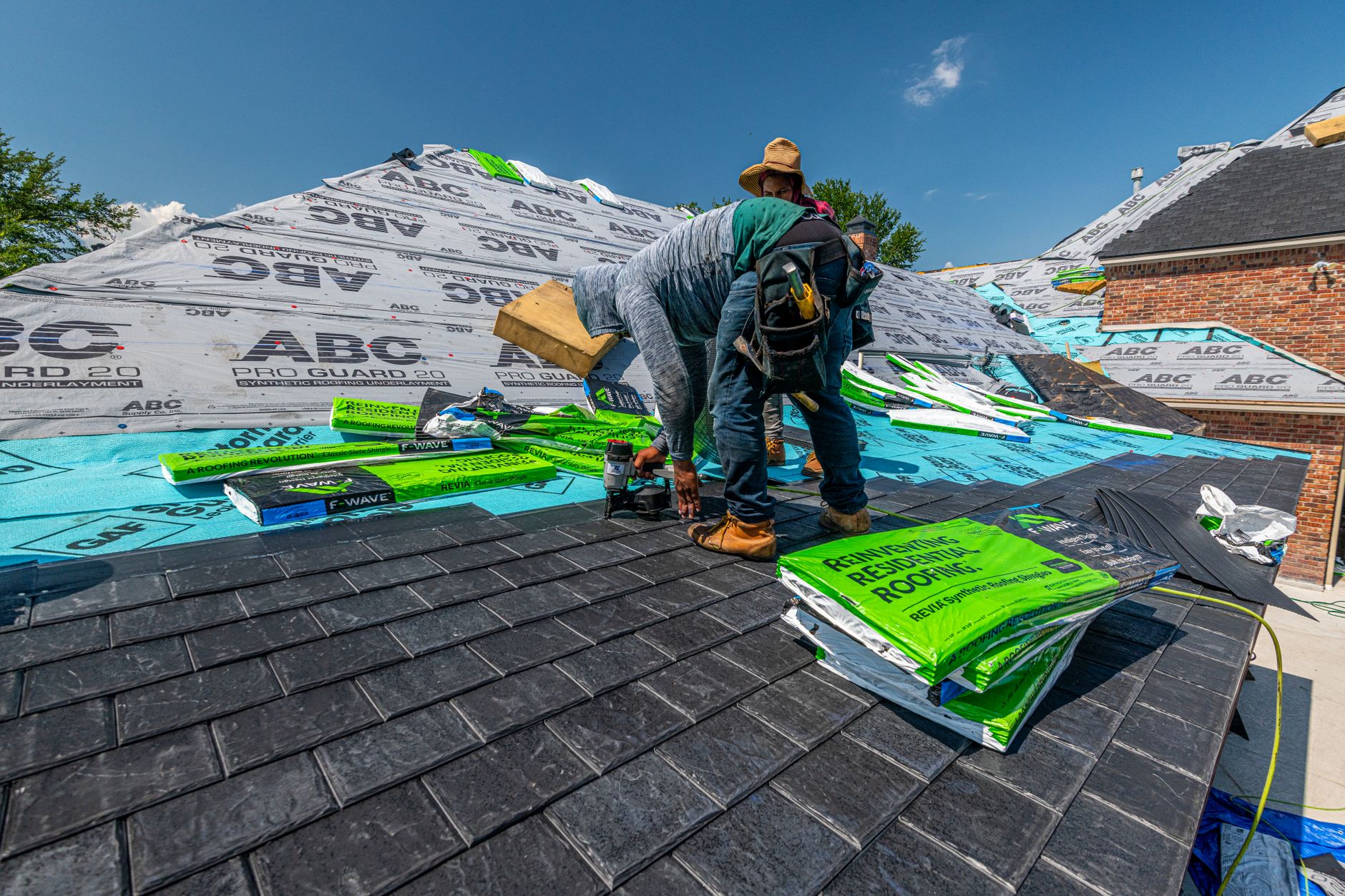
During the job, updates fire when the crew lead taps a stage on a phone: tear-off finished, decking checked, dried in, shingles on, cleanup and magnet sweep done. If the crew finds rotten decking, the change-order step goes to the office with the crew's photos attached, and the office calls the homeowner with the number in hand.
Deposits, Final Invoices and Payment Reminders That Do Not Need a Phone Call
The invoice nudges we set up take payment chasing off the office. The deposit request goes out with the signed contract. The final invoice goes out when the crew lead marks cleanup complete, not when the office gets around to it, with the completion photos attached so the homeowner can see what they are paying for. Reminders follow on a fixed schedule and stop the moment the payment posts.
On storm jobs the pipeline tracks each payment the office is expecting and who it is waiting on, so an outstanding balance does not hide behind a closed job. Once the account is settled, the request for a public rating is handed to the team that looks after your Google profile, and the manufacturer warranty registration becomes a task for the office the same day.
Seasonal Reminders That Bring the Roof Back to Mind
A homeowner thinks about the roof twice: when it leaks and when it is replaced. In between, the repair customer you served this year is often a replacement customer a few years from now. The CRM keeps the address, the roof material, the install or repair date and the inspection photos, and that record drives the long-term messages.
Those messages are tied to roof events rather than a newsletter calendar. After a hailstorm or high-wind event in a service area, past customers in those ZIP codes get a note offering a free look. Before winter, a reminder about clearing gutters and valleys. On older roofs you have already repaired, an inspection offer timed to the age of the roof rather than to your slow month. Each one routes a reply straight into the repair or replacement lane, so a homeowner who answers is back in front of an estimator, not in a general inbox.
Frequently Asked Questions
Can roofing job updates go out without the crew lead typing a message?
Yes. The crew lead taps a stage on a phone, such as tear-off finished or dried in, and the homeowner message for that stage is already written and goes out automatically. The office only steps in for exceptions like rotten decking or a weather delay.
Will roof estimate follow-up keep messaging a homeowner who already hired another roofer?
No. Any reply stops the sequence and creates a task for the estimator. If the homeowner says they went with someone else, the estimate is marked lost with that reason and the only thing they hear from you later is a seasonal reminder, if they have not opted out.
How We Wire the Office to the Crew

Split the Pipeline by Job Type
We set up separate CRM lanes for repairs, replacements and storm jobs inside the system you already run, route each new lead to the estimator for that area and roof type, and add the stages where jobs usually stall.

Write the Estimate and Inspection Messages
We write the inspection confirmations, the day-before reminder with attic and gate questions, and an estimate follow-up that explains your scope one line item at a time using photos from the homeowner's own roof.

Connect the Crew to the Homeowner
Crew leads tap a stage on a phone and the matching update goes out: tear-off finished, dried in, cleanup done. Rotten decking goes to the office with photos, then the final invoice and seasonal reminders follow.
What Runs Behind Every Roof
Three CRM lanes
Repairs, replacements and storm jobs, each with its own stages
Crew-tapped updates
Tear-off, dry-in and cleanup texts sent from the roof
Open-estimate clock
Days since sending, shown on every open proposal
Stop Losing Roofs Between the Estimate and the Signature
Book a call and we will map your repair, replacement and storm lanes, your estimate follow-up and your crew updates onto the CRM you already use.

Let's talk about your growth
Tell us about your business and we'll show you exactly where AI can win you more customers.