


Roofing Website Design Built Around the Inspection
Roofing website design from Qeystone sorts visitors on the first screen into leaking now, storm damage, planning a new roof and commercial, then gives each its own path. Forms book inspections instead of pretending to quote, galleries show tear-off and decking as well as the finished roof, and every page is built for a phone held up toward the gutter line.
Three Visitors, Three Front Doors
Roofing website design starts with why someone landed. One visitor has water coming through a bedroom ceiling. One watched a wind storm peel shingles across the yard last night. One has a roof that was old when they bought the house and wants to replace it before it becomes the first visitor. A fourth, less often, manages a strip mall with a ponding flat roof. They share almost nothing except the word roof, so the site does not make them share a homepage paragraph.
The first screen offers the split in plain words: leaking now, storm damage, planning a new roof, commercial. The leak path leads with the phone number and a line about emergency tarping, because someone with a bucket under the drip will not fill in a form. The storm path explains what happens at an inspection and books one. The replacement path is built for a slower read: materials, past jobs, how the estimate works, financing if you offer it. Commercial gets its own section with low-slope systems and a different form.
Service and Town Pages Built From Your Job Records
Below the split, a roofing contractor website runs on a small set of templates. Service pages cover the work you actually sell: leak repair, storm and wind damage, full replacement, inspections, gutters if you hang them, and one page per material you install, whether that is architectural shingle, standing-seam metal, tile or TPO. A material page explains tear-off, decking and underlayment for that system and shows jobs done in it, not a catalogue of products from the distributor.
Service-area pages follow one template with fields that force them apart: the jobs completed in that town, the roof types common on its housing stock, the neighbourhoods where the crew has worked, and a note that permit rules differ by city with the steps your office takes in that one. A town page with no completed jobs behind it does not get built. A page that only swaps the city name tells a homeowner the opposite of what you want them to believe, which is that you have been on roofs down their street.
Inspection Forms, Not Instant Quotes
Nobody can price a roof from a contact form. Size, pitch, the number of layers to tear off, the state of the decking underneath, and the material all move the number, and most of them stay hidden until someone climbs up. So the form on a roofer website does not pretend to quote. It books an inspection and collects what lets the estimator arrive prepared.
It asks for the address first, which lets the office pull an aerial measurement before the visit. Then what is happening, in tap choices rather than an empty box: active leak, visible damage after a storm, an old roof being planned for, or a commercial building. Then the roof material if they know it, and an optional photo upload, so the stain on the ceiling or the shingles in the gutter arrive before the truck does. A final question asks whether an insurance claim is already open, purely so the office knows which conversation it is walking into. The confirmation screen offers inspection windows instead of a promise to call back.
Project Galleries That Show the Whole Job
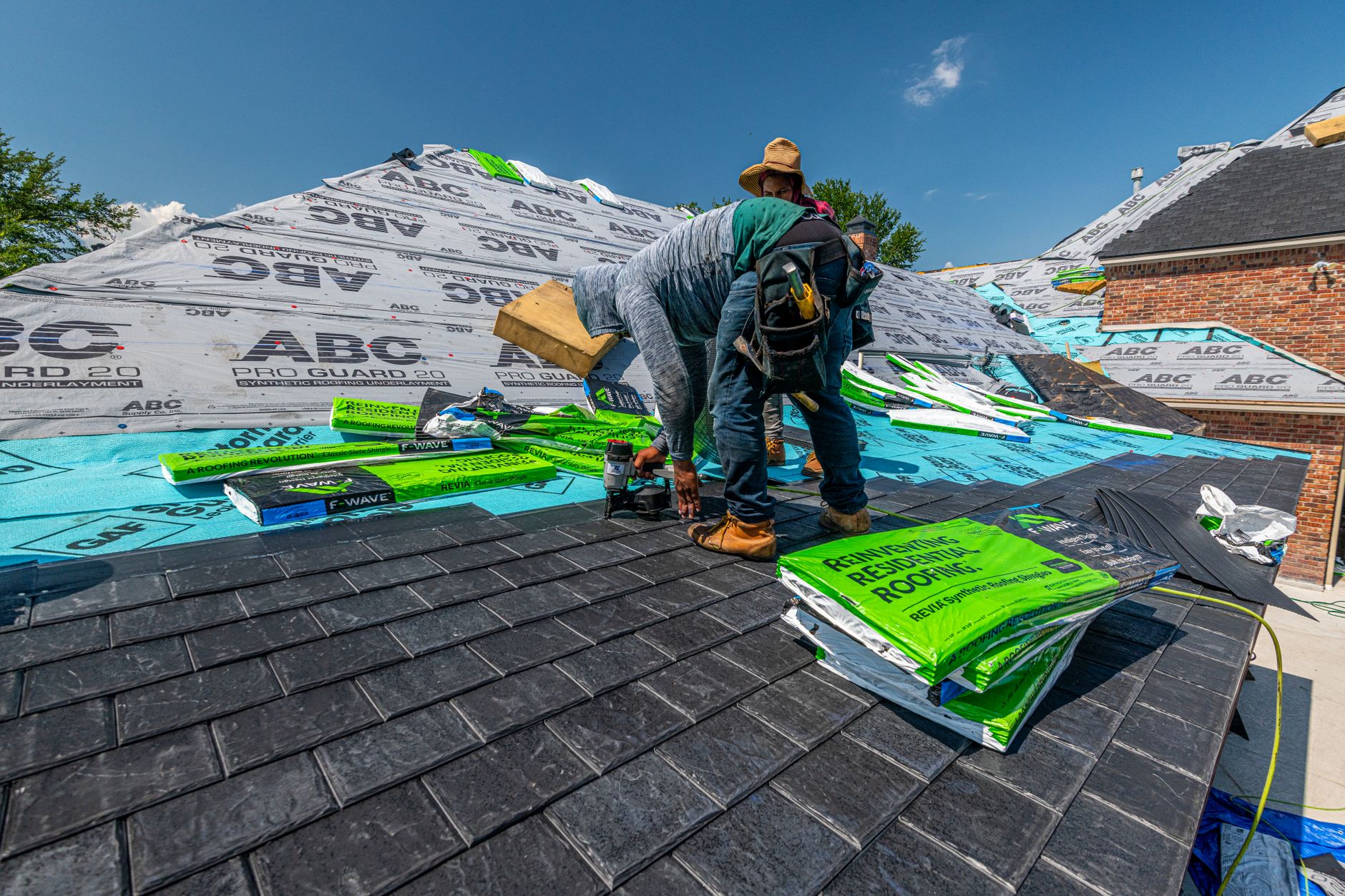
Homeowners cannot judge a roof from the ground, so the proof on a roofing website has to show what they will never see for themselves. Each gallery entry is a job record: the town, the material, the scope, and photos from the stages that matter. The torn-off deck with the soft plywood that had to be replaced. The ice and water shield going down in the valleys. The new flashing around the chimney. The finished roof shot from the street, and from a drone if the crew flies one.
Visitors filter by material and job type, so the person weighing metal sees metal roofs, and the person with hail-pocked shingles sees storm repairs. Adding a job is built for the office, not a developer: a form that takes the crew's phone photos, resizes them, asks for the town and material, and publishes the entry. A gallery that stops being updated after launch tells a visitor the business stopped too.
Trust Signals a Homeowner Can Check
After a big storm, crews from out of state knock on every door in the neighbourhood, and homeowners know it. The question underneath every roofing visit is whether you will still be here when the warranty matters. Web design for roofers answers it with signals a visitor can verify, and leaves out the ones they cannot.
A real street address and a map, not a call-centre number. A crew page with names and faces. Your contractor license number where you hold one, shown as text a visitor can look up. Manufacturer credentials only if you hold them, linked to the manufacturer's own contractor lookup where one exists. Warranty language that separates the manufacturer's coverage from your workmanship coverage, in the terms you actually offer. Reviews pulled live from the platforms where they were written rather than pasted in as quotes. Each of these sits next to the form, where the visitor decides whether to hand over their address.
Fast on a Phone in the Driveway
The typical visitor is outside looking up at the roof, or in the attic with a flashlight, on a phone. After a storm the whole area is searching at the same moment, often on a strained signal. The site is designed for that screen first: the call button fixed within thumb reach, the four-way split readable without scrolling, form fields large enough to tap with a wet hand.
Roofing sites are heavy because roofing proof is photographic, and drone shots straight off the camera are enormous. Every image is resized and compressed at upload and served in the size the screen needs. Gallery photos below the first screen wait until the visitor scrolls. The hero is a still photo of real work, not an autoplaying drone video. Space is reserved for the review feed and the map so nothing shifts while someone is tapping the phone number, and chat widgets load only after the page is usable.
Tracking That Separates Leak Calls From Replacement Leads
Most roofing leads arrive as phone calls, so the build ships with call tracking that tags each call by the page it came from, while the main number in your listings stays the same everywhere. Form submissions carry the path the visitor chose, leak, storm, replacement or commercial, along with the page and the source. Each inspection request lands in your inbox or your CRM already labelled, and the reports show which page types produce booked inspections rather than raw visits.
The structure, speed, forms and tracking are what this service builds. The words on the town pages and job write-ups come from the writers who fill them.
Frequently Asked Questions
Should a roofing website show replacement prices before an inspection?
Not as a fixed number. Roof size, pitch, layers to remove, decking condition and material all change the price, and a form cannot see any of them. A better page explains what drives the cost and lets the inspection or an aerial measurement produce the figure. If you do offer an online estimate, label it as a starting range.
How does a roofer website show homeowners the crew is local after a storm?
With things a visitor can check: a street address and map, a crew page with real names, a license number shown as text where you hold one, and gallery jobs tagged with the towns they were done in. Those signals separate a local roofer from a crew that arrived with the storm.
What should a roofing contractor website do for someone with an active leak?
Put the phone number first and say plainly whether you do emergency tarping. Someone with water coming through the ceiling wants a person, not a form, so the leak path leads with the call button and keeps the form as a backup for after hours.
How We Build a Roofing Contractor Website

We Sort the Work You Sell
We list the jobs you take and the materials you install, map your current pages to the leak, storm, replacement and commercial paths, and set up town pages only where your job records show completed roofs.

We Build the Inspection Path
We build inspection forms that ask address, problem and material, with photo upload and booking windows, plus a gallery your office can add jobs to from crew phone photos without calling a developer.

We Tune and Tag It
We test every page on mid-range phones over a weak signal, resize heavy drone and gallery images, hold chat until the page is usable, and tag calls and forms by the path the visitor chose.
What Ships With Every Roofer Website
Four entry paths
Leak, storm, replacement and commercial, each with its own form
Job-backed town pages
Built only where your crew has finished roofs
Office gallery tool
Crew phone photos to a published job entry
Does Your Site Ask a Leaking Ceiling to Fill In a Form?
Send us your current site and we will show you where the leak, storm and replacement paths, the inspection form and your gallery should sit.

Let's talk about your growth
Tell us about your business and we'll show you exactly where AI can win you more customers.